

 (647) 478-5858
 (728) 500-4818

A WooCommerce Black Friday traffic spike tests different parts of your infrastructure than a normal shopping week does, and the primary bottleneck is rarely the homepage. For e-commerce stores, the pages that drive sales (the cart and checkout) are dynamic and handled differently by caching plugins. Understanding how to evaluate store performance properly ensures seamless transaction handling during peak traffic events.
Preparing early for a WooCommerce Black Friday traffic spike gives store managers enough time to systematically review performance parameters. Technical details cited here derive from official WooCommerce documentation, paired with practical deployment experience.
Quick Take
Product pages can be statically cached, but Cart, Checkout, and My Account pages must stay dynamic because they contain unique customer session data. Ensure your server caching rules respect these exclusions, configure stock holding limits intentionally, and run end-to-end checkout tests prior to launch.
What a WooCommerce Black Friday Traffic Spike Stresses
Under normal conditions, most website visitors browse without completing a transaction. During sales events, buyer intent surges, causing high concurrent additions to cart and checkout requests. Standard browsing pages load quickly via full-page caching. Conversely, Cart, Checkout, and My Account pages must process uncached database queries because they display personalized customer session data.
Handling a WooCommerce Black Friday traffic surge requires balancing cached static assets with uncached, dynamic server operations. Ensuring that static pages load instantly allows server resources to stay focused on processing real-time checkout requests.

Caching Rules That Protect Checkout Functionality
According to official guidelines on configuring caching plugins, store administrators must explicitly exclude Cart, Checkout, and My Account pages from caching layer rules. While many optimization plugins apply these exclusions automatically, server-side caching layers (such as Varnish, NGINX, or Redis) must also be checked to prevent session conflicts during a WooCommerce Black Friday sales event.
WooCommerce relies on specific cookies to maintain cart tracking across user sessions. Caching configurations should be set to bypass cache whenever these core cookies are active:
| Cookie Name | Functional Purpose |
|---|---|
| woocommerce_cart_hash | Detects changes made to the user’s shopping cart contents. |
| woocommerce_items_in_cart | Signals whether active items exist within the current user session. |
| wp_woocommerce_session_ | Stores a unique session token to match the buyer with their database cart record. |
Avoid enabling aggressive JavaScript file combination or minification right before major sales events. Misconfigured script optimization can break payment gateway execution during checkout.
Red Flag
If customers report password reset loops or empty cart errors upon redirect, cached session pages are often the cause. Request your hosting provider to verify dynamic exclusions on all server-level caching layers.
Essential Speed Optimizations to Complete Early
WooCommerce identifies key operational improvements for performance optimization: image compression, code deferral, Content Delivery Network (CDN) deployment, and database cleaning. Implementing responsive image sizing and WebP formatting significantly reduces bandwidth demands during traffic surges.
Prioritize speed audits well in advance of sales promotions to pinpoint performance bottlenecks before code freezes take effect. For further technical context, reviewing our guide on how site speed affects e-commerce conversion rates explains the direct financial impact of page load latency.
Managing Stock Hold Times and Coupon Rules
Unoptimized inventory settings can lead to lost sales. Under WooCommerce > Settings > Products > Inventory, the Hold stock (minutes) setting reserves inventory for unpaid orders for a specified timeframe before canceling the order and returning items to available stock.
During peak shopping periods, setting this value too high locks up inventory in abandoned carts, while setting it too low can cancel legitimate orders from slow-processing payment methods. Adjust this duration based on your expected transaction speeds, or leave it blank to disable auto-cancellation for pending payments.
When creating promotional offers, review your store’s coupon management controls. Apply specific restriction limits per coupon, set minimum spend thresholds, and establish fixed expiration dates to avoid unexpected margin loss.
Save Your Budget
Always configure total usage caps and expiry dates on sitewide promotional codes. Testing coupon behavior on non-eligible products prevents unwanted discount combinations at checkout.
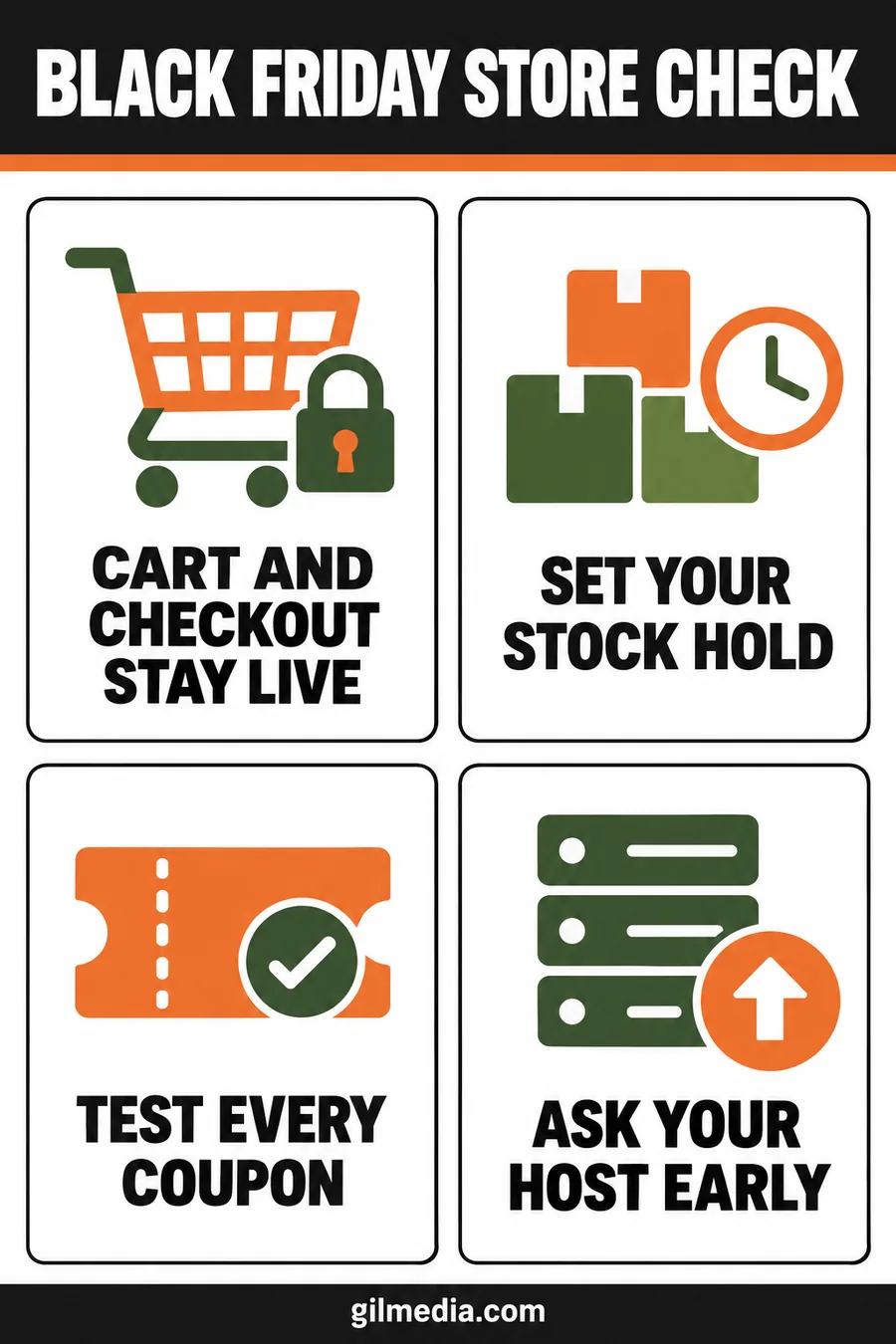
Download the Free Quick Guide
A practical one-page checklist covering cart caching, inventory settings, coupon limits, and hosting audit questions.
Testing the User Journey like a Customer
Testing your store while logged in as an administrator bypasses standard user constraints and does not accurately reflect shopper conditions. Audit your site using an incognito browser window or a mobile device connected to a cellular network.
- Navigate to a promotional landing page directly from an external link.
- Add products to the cart and refresh the page to verify session persistence.
- Apply valid and invalid coupon codes to test validation responses.
- Execute a test transaction using a live gateway sandbox environment.
- Confirm order confirmation emails arrive promptly and inventory counts update correctly.

When to Consult Your Host or Developer
Evaluate your web hosting infrastructure before launching paid marketing campaigns. Confirm with your host how your server plan handles a sudden WooCommerce Black Friday traffic volume increase, ensuring PHP memory limits, database worker threads, and server resources scale efficiently under load.
Pairing technical site audits with paid acquisition strategies maximizes ROI. For paid campaign guidelines, read our analysis on why the Meta Ads auction gets crowded before Black Friday.
Good to Know
This guide provides general technical recommendations. Hosting environments, plugin configurations, and store setups vary. Always test configuration changes in a staging environment before updating your live site.
Conclusion: Predictability Is the Ultimate Goal
Executing successful holiday sales relies on platform stability during a WooCommerce Black Friday promotional period. Excluding dynamic cart pages from cache, establishing clear inventory parameters, verifying coupon conditions, and performing complete end-to-end checkout checks ensures your store handles peak order volume reliably.
Frequently Asked Questions
Should I cache my WooCommerce cart and checkout pages?
No. WooCommerce documentation recommends excluding Cart, My Account, and Checkout pages from full-page cache because they display unique user session data. Verify that server-side caching rules also respect these exclusions.
What does Hold stock (minutes) do in WooCommerce?
This setting reserves inventory for unpaid orders for a defined number of minutes before canceling pending orders and returning stock to available inventory. It applies specifically to orders in pending payment status.
How do I test a WooCommerce coupon before a sale?
Test coupons in an incognito window by adding eligible items to the cart, applying the code, and confirming totals. Test non-eligible items to ensure usage restrictions function correctly.
How early should I prepare for a WooCommerce Black Friday traffic spike?
Complete performance tuning, plugin updates, and caching reviews several weeks prior to major promotional events. Finishing changes early allows adequate time to perform full checkout testing under normal operations.
Want your store checked before the rush?
We look after online stores for businesses across the GTA, and we also run the ads that send them traffic, including paid advertising help in Vaughan. Send us your store link and we’ll tell you what we’d look at first.