

 (647) 478-5858
 (728) 500-4818
Three local businesses sell the same service in the same city. One gets the phone calls. The other two get the leftovers. Almost every time, the difference is not the website, the ads, or the prices. It is the Google Business Profile.
Google Business Profile (GBP) is the most undervalued asset in local marketing. It is free, it is the first thing a buyer sees, and Google now treats it as the primary source of truth for local search and AI Overviews. This 2026 guide walks through every field that matters, the new features most owners are missing, and a 14-step optimization checklist you can run this week.
Why GBP matters more in 2026 than it did in 2020
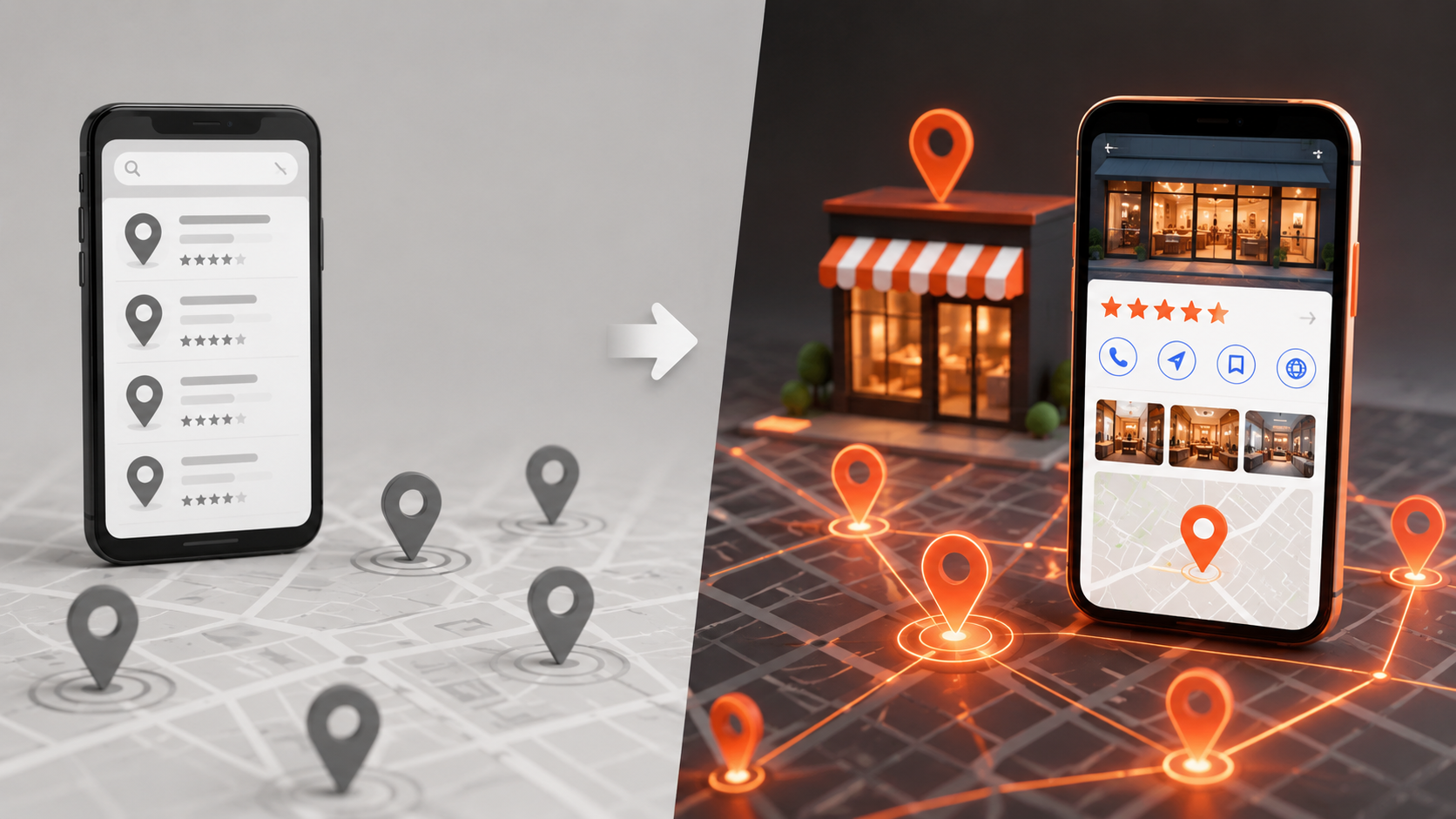
The local pack used to be three businesses pulled from the index. Now Google AI Overviews, Gemini, Apple Maps, and even ChatGPT pull from Google Business Profile data when they answer “near me” queries. Your profile is no longer just a Google Maps card. It is the master record every AI engine reads when deciding which business to recommend.
- AI Overviews: Google often names businesses directly from GBP data in local AI answers.
- Voice search: Siri, Alexa, and Gemini Voice pull addresses, hours, and categories from GBP.
- Apple Maps: Apple syncs many fields from GBP for businesses that have not claimed Apple Business Connect.
- Conversion rate: A well-optimized GBP converts 7 to 10 times higher than a search result link, because users can call, message, or get directions without leaving the listing.
If you only invest in one local SEO surface this year, this is the one. Our Google Business Profile optimization service exists because the ROI on doing it right is consistently higher than almost any other local marketing spend.
The 14-step GBP optimization checklist for 2026
1. Claim and verify your GBP profile
Sounds obvious, but a surprising number of profiles are unclaimed or verified to a former employee. Use the business address Google has on file. Verification is now mostly video-based, so prepare a 30-second walkthrough of your storefront and signage before you start. For service-area businesses without a storefront, video your branded vehicle and tools.
2. Pick the right primary category
The primary category is the single most important ranking field on GBP. “Plumber” ranks differently than “Plumbing contractor” or “Drain cleaning service.” Research what your top three local competitors use, then pick the most specific option that accurately describes your core service. Wrong category equals wrong rankings.
3. Add every relevant secondary category
You can add up to 9 additional categories. Use them. If you are a plumber who also does drain cleaning, water heater repair, and emergency leak response, add each as a secondary category. This expands the queries you rank for without diluting your primary category strength.
4. Write a category-rich business description
You have 750 characters. Use the first 250 carefully because that is what appears in mobile previews. Lead with what you do, who you serve, and where you serve them. Mention your top three services and your service area. No keyword stuffing, but natural use of relevant terms helps both Google and AI engines understand your fit.
5. Add complete service and product lists
The Services section is a separate ranking lever from categories. Add every service you offer as its own entry with a 300-character description. For each, include the service name in the description (Google reads it as both label and body). Add prices where you can. Service-level pricing is a strong trust signal for AI engines.
6. Set accurate hours and special hours
“Hours” should match what your phone is actually answered, not your storefront. Update special hours for every holiday on a 12-month rolling calendar. AI assistants now downrank businesses with stale special hours because it signals an inactive listing.
7. Upload 20+ real photos (and keep adding)
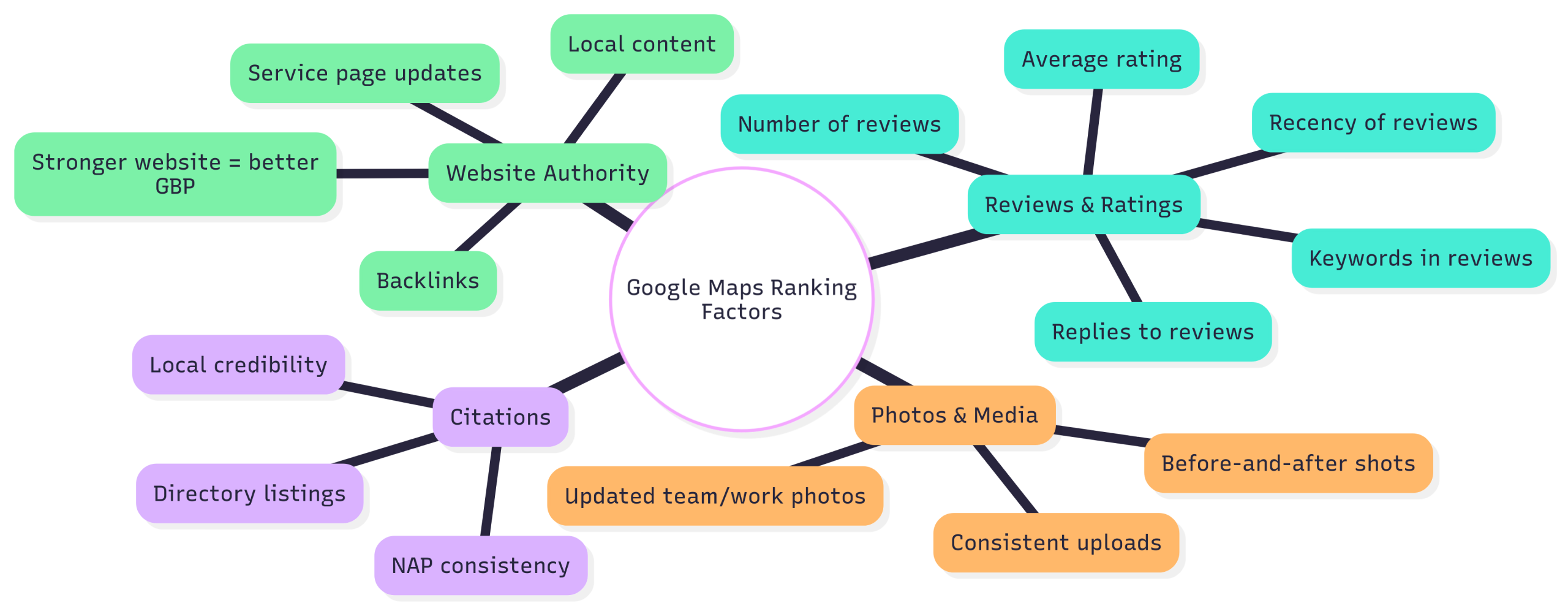
GBPs with active photo uploads rank higher than equivalent profiles without them. Upload 20+ to start: exterior, interior, team, products, before/after, branded vehicles. Add 2 to 4 new photos every month forever. Geo-tagged photos taken on a phone work better than stock images, and Google can tell the difference.
8. Add 360-degree and video content
Underused in 2026. Video uploads (up to 30 seconds each) and 360-degree photos give your listing a richer media block, which Google features more prominently. A 15-second walkthrough of your shop or a quick service explainer can lift engagement measurably.
9. Set up messaging and respond fast
Enable messaging in the GBP app. Set your auto-reply with a clear “we respond in X minutes.” Google now factors response time into ranking signals, and slow or absent responses get penalized. The recent GBP integration with WhatsApp and text messaging makes this even more important.
10. Build review velocity (and respond to every one)
Aim for a steady trickle: 4 to 8 new reviews per month is better than 80 reviews in one month and zero the next. Use a review link or QR code to make it easy. Respond to every review, positive or negative, within 48 hours, in 1 to 3 sentences. Recent review velocity and recent response activity are now two distinct ranking signals.
11. Post weekly updates
GBP Posts (updates, offers, events) keep your listing active. One per week is plenty. Promote a recent project, a seasonal offer, or an FAQ answer. Each post is indexable by Google and contributes to your activity signal. Skip a month and your ranking can dip.
12. Fill out the Q&A section before customers do
Anyone can ask and answer questions on your profile. Get ahead of it: post 5 to 10 common customer questions yourself, and answer them as the business. This pre-empts misinformation, controls the narrative, and creates additional indexable content tied to your listing.
13. Add attributes that match buyer intent
Attributes are the small checkboxes (“women-owned,” “free Wi-Fi,” “wheelchair-accessible entrance,” “online appointments,” “veteran-owned”). Each one is a possible filter a buyer uses when searching. The more accurate attributes you add, the more filtered searches you appear in.
14. Audit your NAP consistency across the web
Your Name, Address, and Phone (NAP) on GBP must match every other listing of your business: Yelp, Apple Maps, Facebook, BBB, industry directories. Even small differences (“Suite 200” vs “Ste 200”) can suppress rankings. Once a year, run a NAP audit and fix every mismatch.
2026 GBP features most owners are missing
- Bookings integration. If you take appointments, connect a supported booking provider. The “Book” button on your listing dramatically lifts conversion.
- Menu and quote requests. For restaurants, salons, and service businesses, the dedicated menu or quote-request flows convert better than a generic call button.
- Performance reports. The insights tab shows search queries that led to your listing. Mine it monthly for new keywords to add to your website and services list.
- Local justifications. When Google highlights a review snippet or “they responded to your question” tag on your listing, you have hit a justification. Optimize content and reviews to trigger them more often.
- Social profiles linking. Add your verified Facebook, Instagram, X, LinkedIn, and YouTube profiles. Cross-linked profiles boost entity recognition.
Common GBP mistakes that quietly kill rankings
- Wrong primary category. One bad category choice can keep you out of the local pack for years.
- Stuffing keywords in the business name. “Joe’s Plumbing Best Plumber Toronto Cheap” triggers a suspension. Use your real business name only.
- Hiding the address on a storefront business. Service-area businesses can hide it. Storefront businesses must show it.
- Letting reviews go unanswered. Especially negative ones. Google reads the responses as a quality signal.
- Ignoring suspensions until they happen. Audit your account quarterly. A small fix today prevents a 30-day reinstatement nightmare later.
Frequently asked questions about Google Business Profile
How long does GBP optimization take to show results?
Most businesses see ranking lifts in 4 to 8 weeks after a full optimization pass, assuming consistent reviews and weekly posts. Some changes (correcting a wrong primary category, fixing NAP inconsistencies) can move rankings in 2 to 3 weeks.
Can I rank in the local pack without a physical address?
Yes, as a service-area business. You list service areas instead of a public address, but you still need a verifiable address Google can confirm during setup. Service-area businesses can rank in the local pack within their stated service zones.
Do GBP posts help with rankings?
Directly, modestly. Indirectly, significantly. Posts signal an active, maintained profile, which Google factors into ranking trust. They also let you target seasonal or service-specific keywords that your main listing might not.
Should I respond to every review, even one-line positive ones?
Yes. Response rate and response recency are both ranking signals. Two sentences thanking the customer and reinforcing what they liked is plenty. Skip none.
How does GBP fit with AI search optimization?
GBP is the master record AI engines read for local queries. A strong GBP feeds AI Overviews, voice assistants, and chat-based search recommendations. For the broader AI search playbook, see our GEO guide for 2026 and voice search optimization guide.
Get your GBP audited and optimized
Most profiles we audit are 40 to 60 percent optimized. Fixing the rest is one of the highest-ROI marketing moves a local business can make. Our Google Business Profile optimization service handles the full audit and ongoing management, and our broader SEO services tie GBP into a complete local search strategy. Contact us for a quote.