

 (647) 478-5858
 (728) 500-4818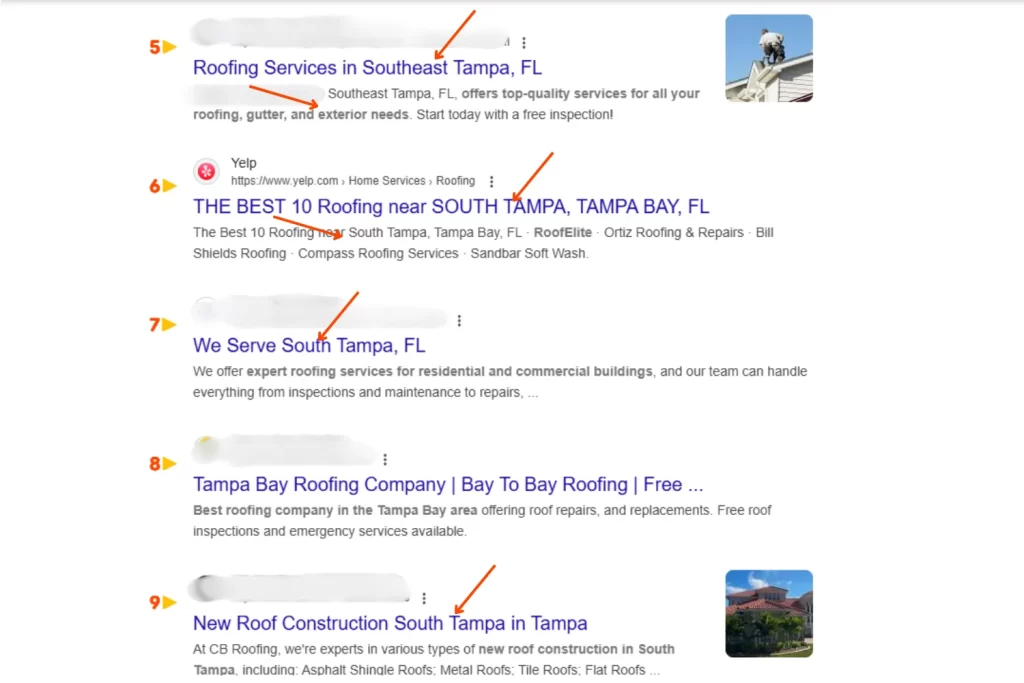
Open one office in one city and local SEO is straightforward. Open a second office in a second city and it gets harder. Open a fifth, a tenth, or a fiftieth and most agencies quietly admit they have no idea what to do next. The wrong move at this stage (one bloated homepage that names every city, or 50 thin duplicate location pages) can sink the rankings of every location at once.
Multi-location SEO has its own discipline in 2026. The rules are different from single-location local SEO in three specific ways, and getting them right is the difference between a brand that ranks in every market and one that ranks in none.
Why multi-location SEO is its own problem
- Keyword cannibalization. Five “best plumber in [city]” pages on the same domain compete for the same algorithm slot. Without careful structure, they cannibalize each other.
- Content scale. Each location needs enough unique, local content to satisfy Google’s quality bar. Duplicating one template across 50 cities triggers thin-content penalties.
- Citation and review management at scale. Every location needs its own GBP, its own citations, its own reviews, its own NAP. Manually managing 25 cities the way you would manage 1 is impossible.
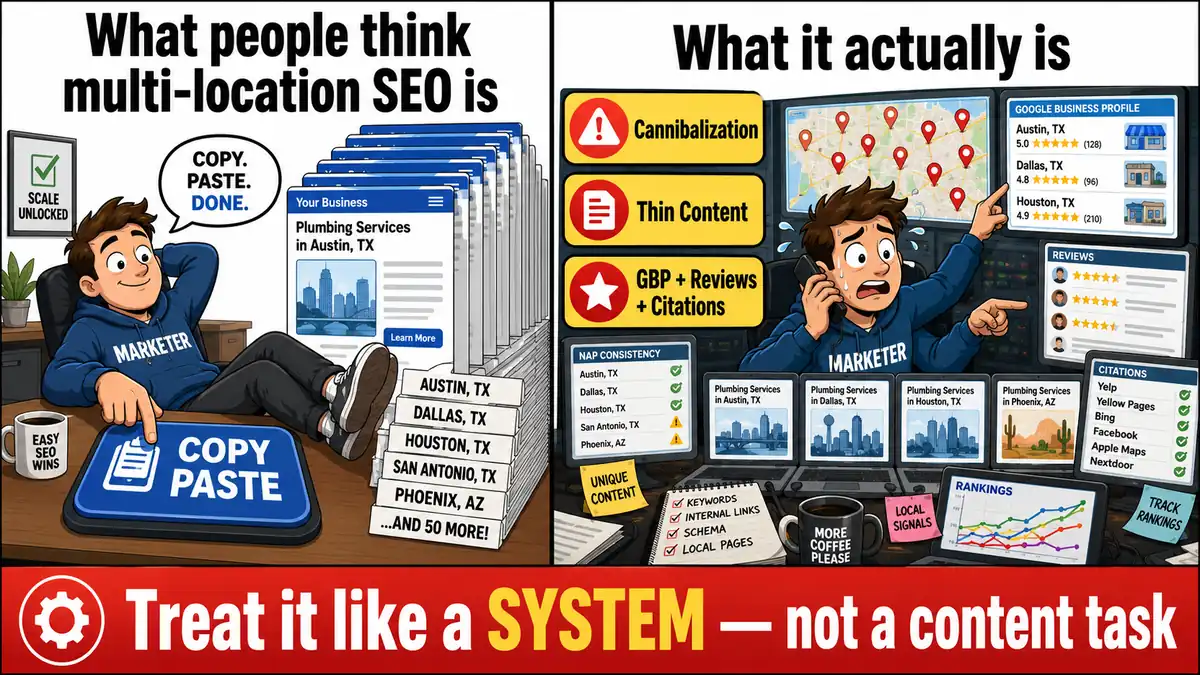
The businesses that handle this well treat it as a system, not a content task. When working with multi-location clients across both Canada and the US we use the following framework:
The multi-location SEO framework
1. One location, one Google Business Profile
Every physical location gets its own verified GBP, period. Same brand name, location-specific address and phone, location-specific category if it differs slightly, location-specific photos and reviews. Do not consolidate. Do not try to “list one location for the whole brand.” Google treats each verified GBP as a separate entity for ranking purposes.
For the full GBP setup at scale, see our 2026 GBP optimization guide. The principles do not change, but the operational lift does.
2. One location, one dedicated landing page
Each location gets its own page on your site at a clean URL: yoursite.com/locations/[city] or yoursite.com/[city]-[service]. The page should include: location-specific address and phone, photos of that location, the team or manager there, embedded map, list of services offered at that location, location-specific testimonials, and unique copy about the local market.
Avoid the trap of templating one page and only swapping the city name. Google can read that pattern in seconds. Unique content for each location is the price of entry.
3. Use a clear URL and internal link structure
Two patterns both work, but pick one and commit:
- City-first: yoursite.com/toronto/plumbing, yoursite.com/toronto/drain-cleaning. Best when you serve multiple services per city.
- Service-first: yoursite.com/plumbing/toronto, yoursite.com/drain-cleaning/toronto. Best when service hierarchy is more important than geography.
Build a “Locations” hub page that links to all location pages. Each location page should link to its sibling services within the same city, and to the corresponding service hub. This internal linking pattern distributes authority cleanly and prevents cannibalization.
4. Add LocalBusiness schema per location
Each location page gets its own LocalBusiness schema with that location’s PostalAddress, geo coordinates, openingHoursSpecification, telephone, and areaServed. Do not use the corporate Organization schema only. AI engines and Google’s local algorithm both rely on location-level schema for proximity ranking.
5. Write genuinely local content for each location
What makes a location page “genuinely local” in 2026:
- Mention specific neighborhoods, intersections, or landmarks served
- Reference local regulations, permits, or seasonal patterns where relevant
- Include a paragraph about the local team or manager (real names, real photos)
- Quote actual customer reviews from that location
- Show service area maps with real boundaries, not a generic “we serve the GTA” line
- Embed location-specific Google Maps and a click-to-call number unique to that location
6. Build location-specific citations
Each location needs its own citation portfolio in its own market. Tier 1 directories (Apple Business Connect, Bing Places, Yelp, Facebook, BBB) all support multi-location businesses. Tier 3 local citations (city chamber, local news, regional industry directories) need to be done city by city. This is the scale problem citation management tools solve, and one of the few cases where automated services like Yext or Moz Local pay off.
For the foundational citation playbook, see our local citations and NAP consistency guide.
7. Manage reviews per location
Reviews are location-specific signals. A customer in Tampa reviewing your Toronto location does not help your Tampa rankings. Each location needs its own review velocity (2 to 4 new reviews per month at minimum), and someone at each location needs to respond. Consolidating review management at HQ rarely works, because the responses end up generic and slow.
8. Track rankings per location, per keyword
Rank tracking at scale needs city-level granularity. Use a tool that supports geographic rank tracking (BrightLocal, Local Falcon, GeoRanker, or Semrush Local). For each location track the top 10 commercial keywords from that city’s Google Business Profile insights tab. Watch trends, not snapshots.
Add AI search tracking on top. AI engines weight multi-location businesses differently than single-location ones, and you want to know which of your locations are getting cited in which markets. See our AI visibility tracking guide.
Common multi-location SEO mistakes
- One page with a long list of cities. “We serve Toronto, Mississauga, Brampton, Hamilton, Burlington” on one page gets you no local rankings in any of them.
- Identical location pages with only the city name changed. Detected as thin content in 2026. Each page needs unique substantive content.
- Sharing one phone number across all GBPs. Each location needs its own number, ideally a local area code matching the city.
- Centralizing reviews on one GBP. Cannot be done without violating Google’s guidelines and triggering suspensions.
- Forgetting to redirect when locations close. When a location closes, 301-redirect its page to the nearest open location. Leaving orphan location pages signals an unmaintained site.
- Ignoring local citations beyond GBP. Tier 1 directories all support multi-location, but most multi-location businesses fail to claim and verify every location across all major sources.
When to centralize versus decentralize
The tension in multi-location SEO is always central control versus local relevance. The pattern that works:
- Centralize: URL structure, schema patterns, page templates, technical SEO, brand voice, citation management tooling, rank tracking dashboards.
- Decentralize: Specific local content, customer photos, team bios, review responses, neighborhood-level expertise, partnerships with local non-profits and businesses.
Centralized control without decentralized local depth produces uniform thin pages. Decentralized control without central guardrails produces inconsistent NAP and untracked rankings. You need both, and most brands lean too far toward “centralized” because it is easier to manage.
Building a multi-location link profile
Each location needs its own local backlink profile, not a corporate-wide one. The tactics from our local link building guide apply at each location: sponsor local events in that city, get listed on that city’s “best of” pages, pitch local journalists in that market. Pooling all link-building effort into one corporate site and hoping it lifts every location is the most common waste of budget we see.
Frequently asked questions about multi-location SEO
How many cities can a single site handle?
There is no hard limit, but quality drops if content production cannot keep up. A 5-location business that does 5 location pages well outperforms a 50-location business with 50 thin pages every time. Scale into new cities only when you can support each one with real content and real local citations.
Can I use a state-level page instead of city pages?
For service-area businesses serving a wide region (like an HVAC contractor covering 15 nearby towns), a regional page can complement (not replace) city pages. Build the regional hub plus 5 to 10 city pages for the cities that drive the most revenue. Skipping city pages entirely means giving up the local pack rankings for those cities.
Do I need separate domains for each location?
No. One brand domain with location subfolders (yoursite.com/locations/[city]) is the correct pattern in 2026. Separate domains per location dilute authority, fragment your link profile, and create a maintenance nightmare.
How do I rank in cities where I do not have a physical office?
You cannot rank in the local pack without a verifiable presence in that city. For service-area businesses, list the city as a service area on GBP for the nearest verified location. For franchise or chain models, opening a real or virtual office that meets Google’s verification requirements is the only durable path.
How does multi-location SEO connect to AI search?
Each location is a distinct entity to AI engines. They cite based on location-specific schema, reviews, and citations, not on your corporate brand alone. Getting cited by ChatGPT and Google AI for “best plumber in Tampa” requires a Tampa-specific entity footprint, exactly the same way ranking in the Tampa local pack does. The full AI cluster lives in our GEO playbook.
Get help scaling local SEO across markets
Multi-location SEO is one of the most operationally complex parts of digital marketing. Doing it well in 5 markets is a part-time job. Doing it well in 25 is a full-time team. Our SEO services are built around multi-location clients, with location-specific GBP optimization and city-by-city local campaigns. We currently support clients looking for SEO services in Boca Raton, Tampa, Miami, and Clearwater, as well as across our Canadian markets.. Contact us for a multi-market quote.